RailGuide: a rail and logistics planner for StarRupture
I’ve just put up The Asylum Railguide – a browser-based rail and pull-logistics simulator for StarRupture, built to help plan and stress-test factory layouts before committing to them in-game.
If you’ve spent any time building production chains in StarRupture, you’ll know the rail network is where plans usually fall apart. Ports, junctions, priorities and drone pulls all interact in ways that are hard to picture until you’ve already built the thing – and rebuilding a rail network in-game is nowhere near as forgiving as moving a box on a grid. RailGuide lets you design and simulate that network first.
I’ve just put up The Asylum Railguide – a browser-based rail and pull-logistics simulator for StarRupture, built to help plan and stress-test factory layouts before committing to them in-game.
If you’ve spent any time building production chains in StarRupture, you’ll know the rail network is where plans usually fall apart. Ports, junctions, priorities and drone pulls all interact in ways that are hard to picture until you’ve already built the thing – and rebuilding a rail network in-game is nowhere near as forgiving as moving a box on a grid. RailGuide lets you design and simulate that network first.
What it does
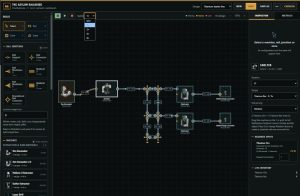
RailGuide gives you a 1m-grid canvas where you place machines, junctions and rail lines, then wire them together by dragging between colour-coded ports – amber for inputs, green for outputs, cyan for junctions. Rails can slope between different heights, run as straight lines or smooth curves, and every connection is one-way, just like in-game.
Once a layout is wired up, you can hit play and actually run it: drones spawn, pull ingredients along the fastest eligible route, and machines produce in whole batches exactly as the real game does. You’ll see stalled drones, lost routes and bottlenecks appear in your design before they cost you materials and time in-game.
A few things it handles that are easy to get wrong by hand:
- Machine footprints and port layouts pinned to real in-game dimensions
- Multirail and Modulator junctions with genuinely separate lanes
- Per-machine pull priorities (High/Medium/Low) and stack-based request limits
- Zones for marking out rooms, levels or production stages
- Full XML export/import, so layouts can be saved, shared or version-controlled
No accounts, no server-side data
Everything runs entirely in your browser. Designs are stored locally, and exporting to XML is the only way data leaves your machine – there’s no database and nothing to sign up for. You can keep multiple named designs side by side and switch between them freely.
Calibration, not guesswork
The simulation targets StarRupture Update 2 / hotfix 0.3.3. Where possible, values like excavator batch timings and storage capacities are lifted straight from observed in-game behaviour. A handful of less-documented mechanics – like how the game breaks ties between equal-priority pulls – are modeled as best-guess approximations rather than confirmed rules, and I’ll keep refining them as more evidence comes in.
Try it
It’s live now at www.the-asylum.com/railguide/ — no install, just open it and start placing rail. If you hit a layout that behaves differently in-game than it does in the simulator, I’d genuinely like to hear about it.